
Intelligent document processing: from PDF to data in seconds
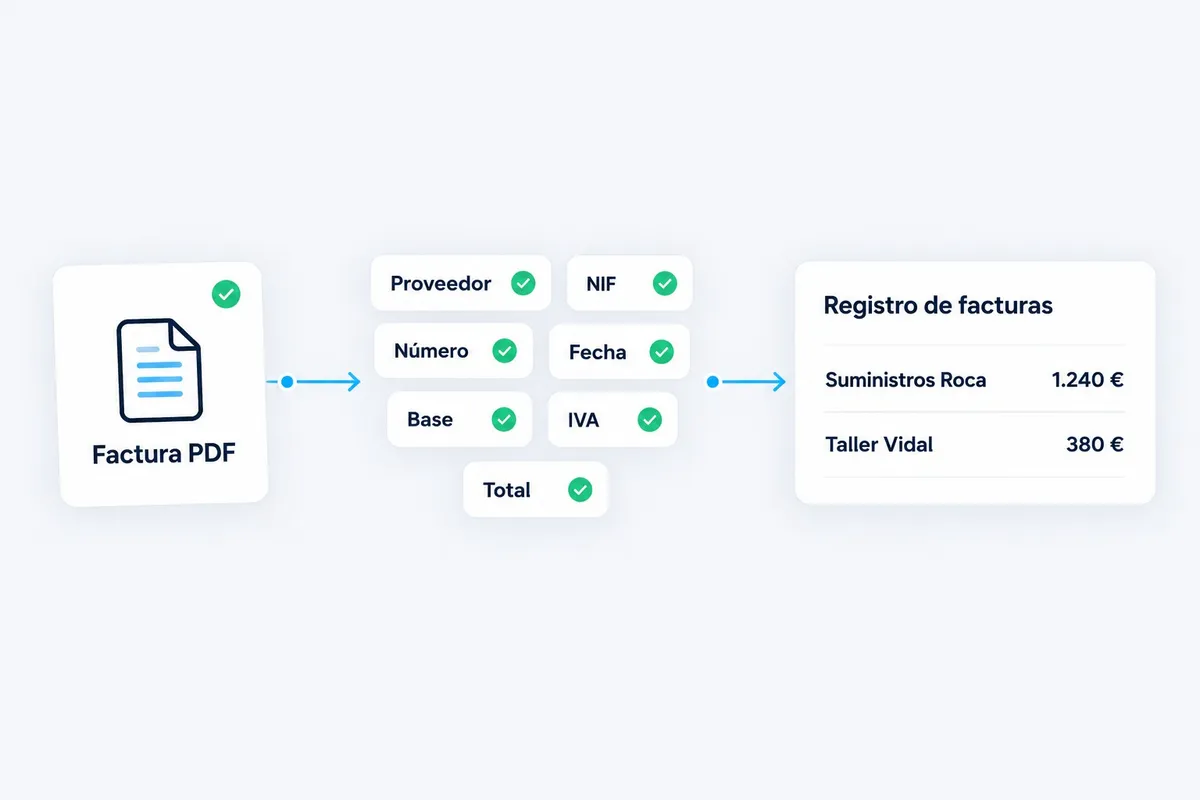
The document arrives, is read, validated, and the data lands where your team needs it. A person steps in when confidence is low.
Request a document processing diagnosticDocuments we usually process
- Supplier invoices
- Delivery notes
- Orders
- Contracts
- CVs
- Job sheets
How it works, in four steps
-
01
Receipt
The document arrives by email, folder, or a supplier upload.
-
02
Reading
AI extracts fields: issuer, dates, amounts, line items, and references.
-
03
Validation
Cross-checked against order, supplier, or internal rules. If confidence is low, a person reviews it.
-
04
Recording
Data enters the ERP, spreadsheet, or document manager, with traceability.
Human validation when needed
- If confidence is low, the document waits for human review before it is recorded.
- Your team corrects the data once; the system learns the rule for the next one.
- Nothing is posted or archived without a clear rule or validation.
What we measure
- Recording time per document
- Typing errors
- Documents processed without intervention
- Time until data is in the system
Let us talk about your processes, not technology.
In the diagnostic we review 2 or 3 processes with you and tell you, with numbers, which one to automate first.
Request a document processing diagnosticReply within 24–48 business hours