
Process automation by department
Every area of your company has repetitive tasks that can be automated. Choose where to start.
Departamentos
-
Sales and CRM
Qualified leads tracked without relying on anyone’s memory.
- Automatic lead capture and recording
- Qualification and alert to sales
- Weekly pipeline report
-
Customer service
Answers in minutes, 24/7, and your team only on what needs judgement.
- AI agent for order status
- Ticket triage and routing
- Human escalation with context
-
Administration and finance
Invoices, collections, and reconciliations that process themselves.
- Supplier invoice reading
- Staged payment reminders
- Assisted reconciliation
-
Human resources
Onboarding, leave, and employee questions without endless emails.
- Onboarding with automatic checklist
- Leave and absence management
- Internal policy assistant
-
Operations and logistics
Orders, stock, and incidents connected end to end.
- Email order into the ERP
- Stock and incident alerts
- Customer tracking on dispatch
What gets automated in almost every company
-
Approvals
Expenses, quotes, or new hires that sit in an inbox today and can follow a clear rule tomorrow.
-
Periodic reports
The same Excel every Monday, built by hand from three sources.
-
Data entry between systems
What lands in the CRM, ERP, or spreadsheet and someone types in again.
-
Notifications
Alerts to customer, warehouse, or sales that depend on someone remembering.
-
Document management
PDFs that arrive by email and must be read, classified, and filed.
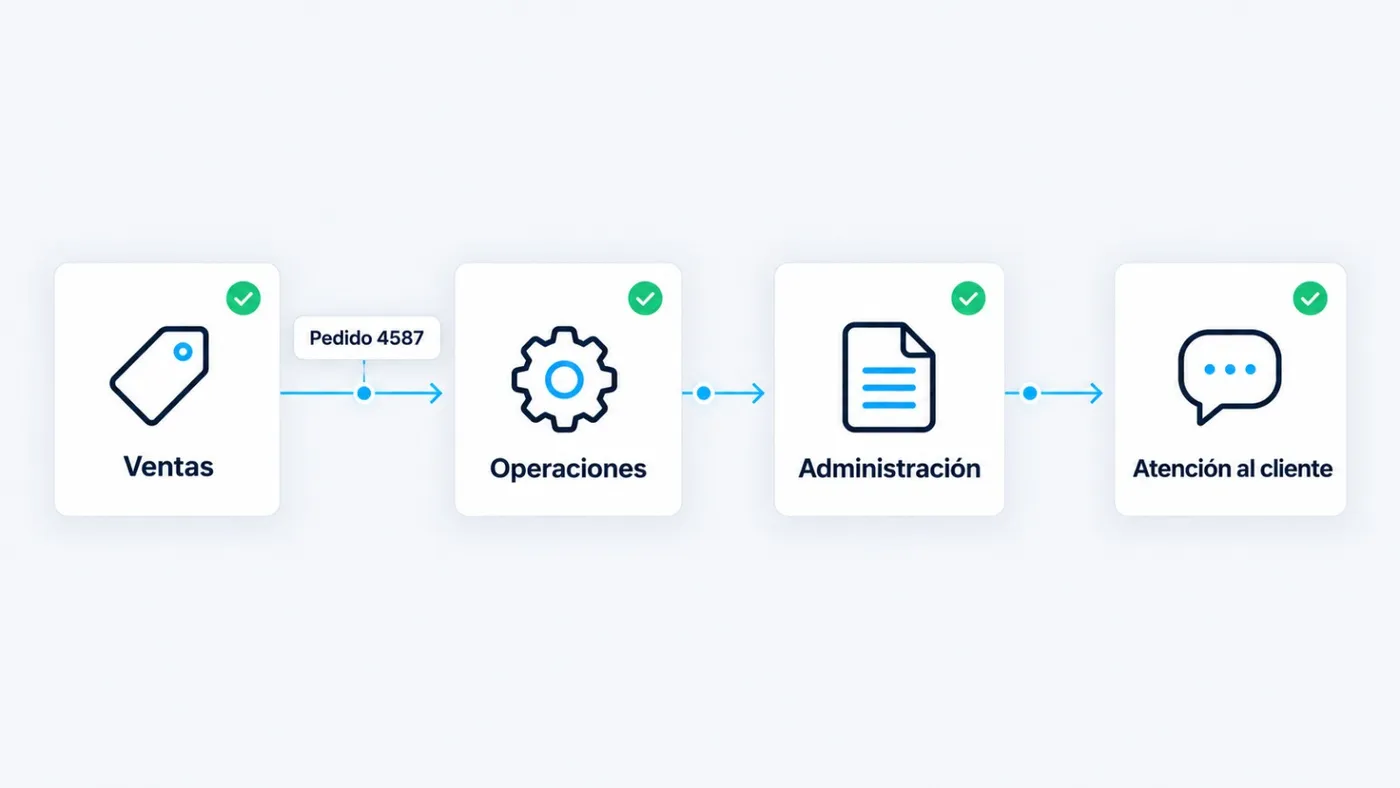
How departments connect when everything is automated
An order goes through sales, operations, finance, and customer service. If each leg works in isolation, time is lost. When it is connected, data moves on its own.
Not everything is worth automating
-
Quick wins
High impact, low effort. This is often where the first automation lives.
-
Strategic
High impact and more work. Planned after you have a first process running.
-
Optional
Low impact and low effort. Done when capacity allows, not to open the project.
-
Skip
Low impact and high effort, or processes that change every week. Better not to automate.
Let us talk about your processes, not technology.
In the diagnostic we review 2 or 3 processes with you and tell you, with numbers, which one to automate first.
Request your process diagnosticReply within 24–48 business hours