
Customer service department
Automated customer service without losing the human touch
An AI agent handles repetitive queries instantly; your team handles what needs judgement.
Request a customer service assessment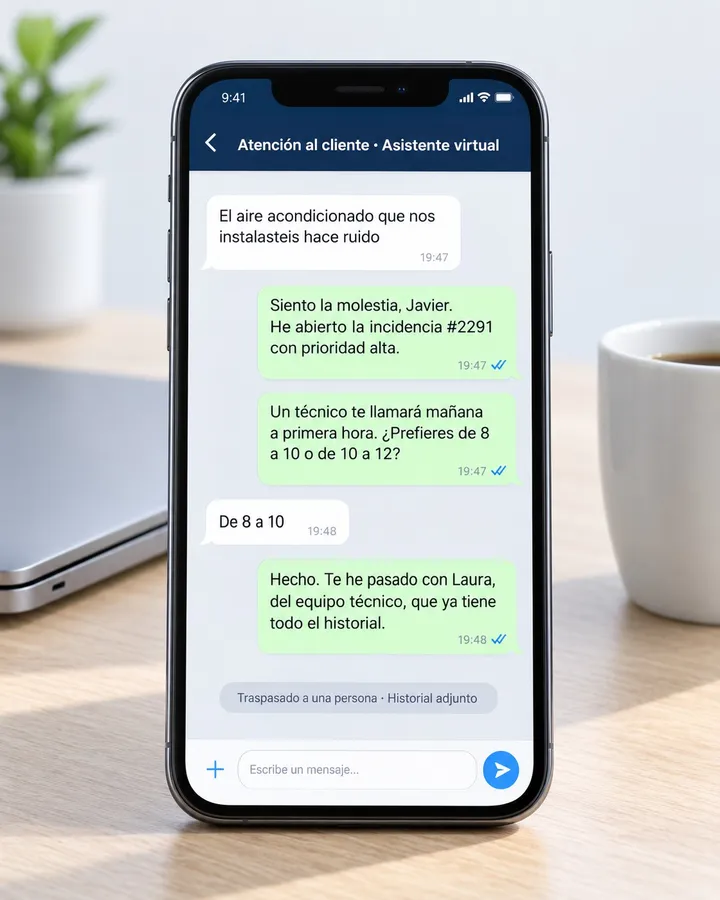
Sound familiar?
- The same 20 questions every day.
- Nobody answers outside business hours.
- Incidents get lost in email.
- Customers keep asking “where is my order?”
Processes we automate in Customer service
-
Order status agent
Today: Someone looks up the order in the ERP and copies the answer.
Automated: The agent queries the system and replies instantly.
What improves: First response time
-
Ticket triage and routing
Today: A shared inbox decides who picks up each case.
Automated: Tickets are classified and reach the right queue with history.
What improves: Time to assignment
-
Suggested replies
Today: The same template is rewritten in every email.
Automated: The agent proposes a draft; a person validates if needed.
What improves: Time per ticket
-
Human escalation with context
Today: The customer explains everything again when transferred.
Automated: The agent receives the thread, order, and what was already tried.
What improves: % resolved without re-asking
-
Proactive notifications
Today: The customer learns about delays when they call.
Automated: Dispatch, delay, or appointment updates go out automatically.
What improves: “Where is my order?” queries
-
Satisfaction survey
Today: Sent manually, if anyone remembers.
Automated: Sent when the ticket closes, on the channel the customer already uses.
What improves: Satisfaction
One process, end to end
From a WhatsApp question to a ticket with history
- Customer asks about their order
- Agent queries the system
- Replies with status and date
- If there is an incident, opens a ticket
- Alerts the team with context
Where AI fits in
- Answer order status, appointments, and FAQs.
- Classify the reason and urgency of the message.
- Draft the summary for whoever takes the case if escalation is needed.
The agent identifies itself as a virtual assistant and can hand off to a person when the case requires it.
Common tools
- Messaging
- Helpdesk
- ERP
What we measure
- First response time
- % of queries resolved without intervention
- Satisfaction
- Volume handled per person
Frequently asked questions
Does the customer know they are talking to a virtual assistant?
Yes. It identifies itself and offers a handoff when the case is not routine.
Does it work outside business hours?
For repetitive queries, yes: order status, appointments, FAQs. What needs judgement waits for your team, already classified.
Does it replace the support team?
No. It removes the questions that eat the day so people can focus on incidents and difficult customers.
Which channels can it use?
WhatsApp, web, email, or phone—however customers contact you today. You do not need a new channel to start.
Let us talk about your processes, not technology.
In the diagnostic we review 2 or 3 processes with you and tell you, with numbers, which one to automate first.
Request a customer service assessmentReply within 24–48 business hours